
1
Consent
2
Authorize
3
Complete
This is v2.2-draft — a working draft of the v2.2 standards, published for review and not yet ratified. It MUST NOT be used as the basis for a production implementation. For the current standards, switch to v2.1 using the version selector. See the v2.1 → v2.2-draft changelog for every change in this version.
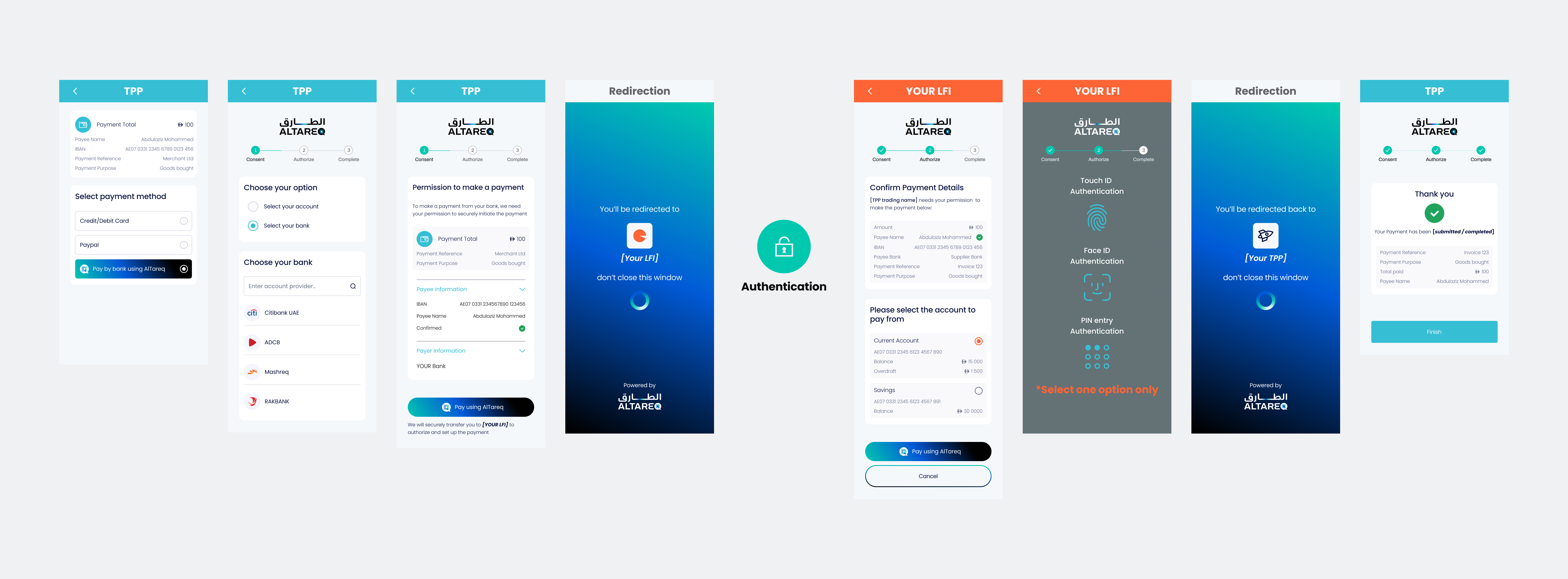
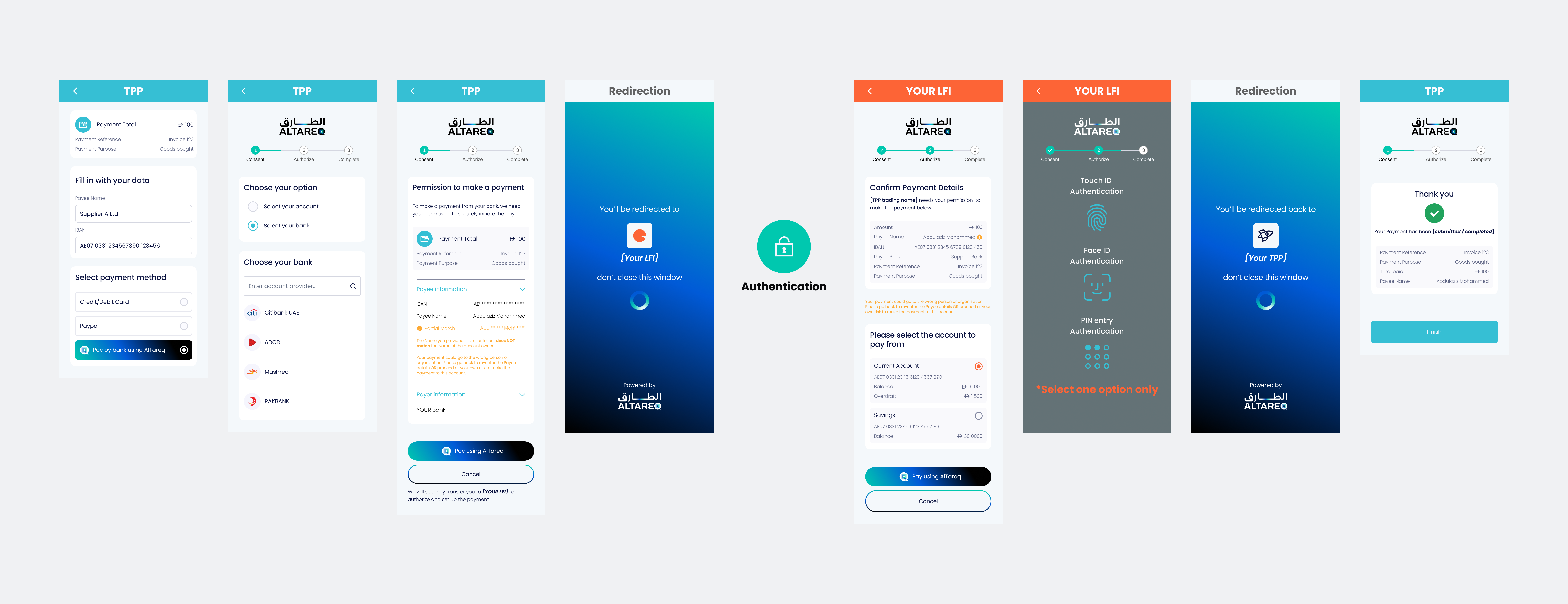
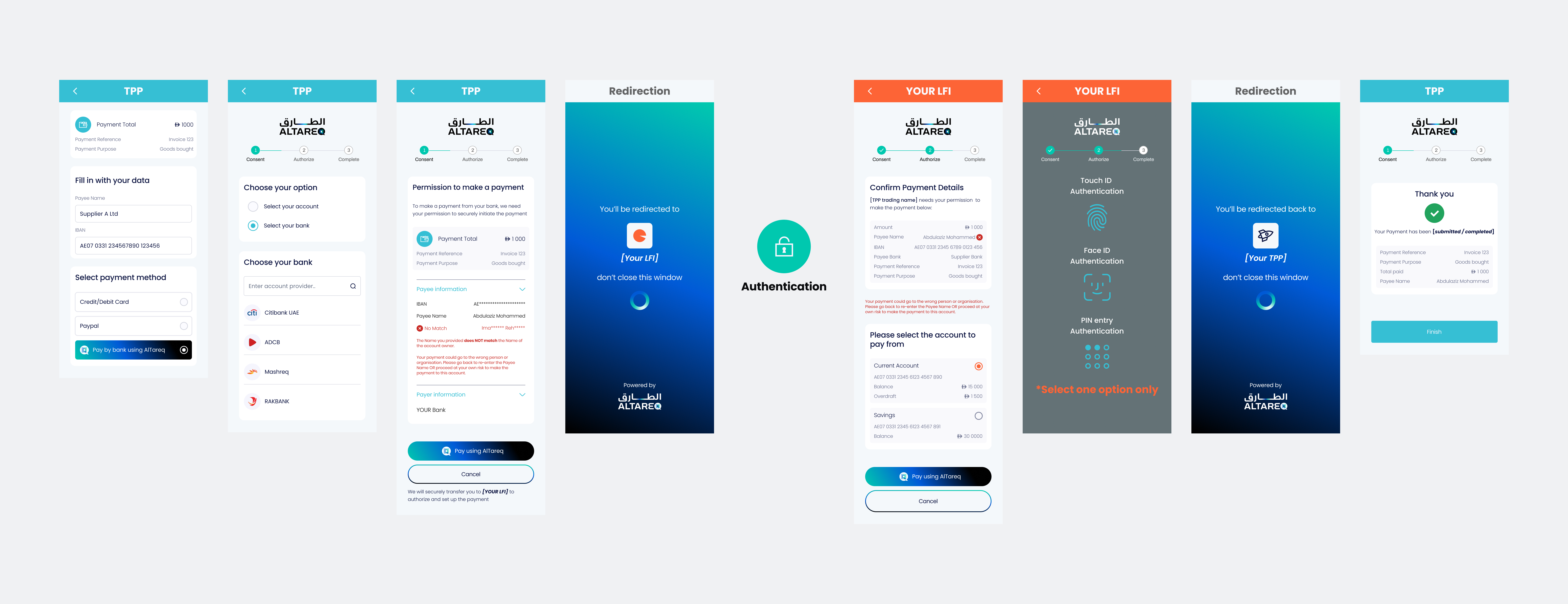
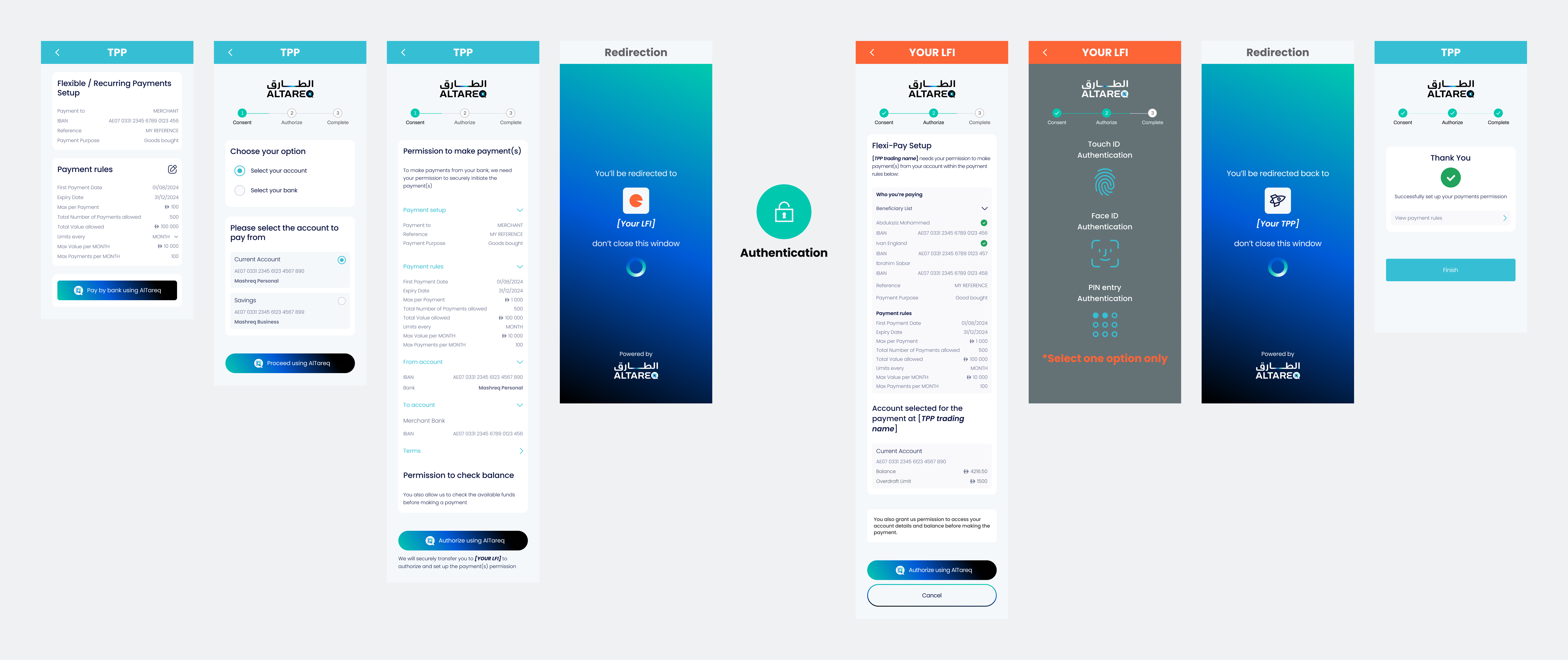
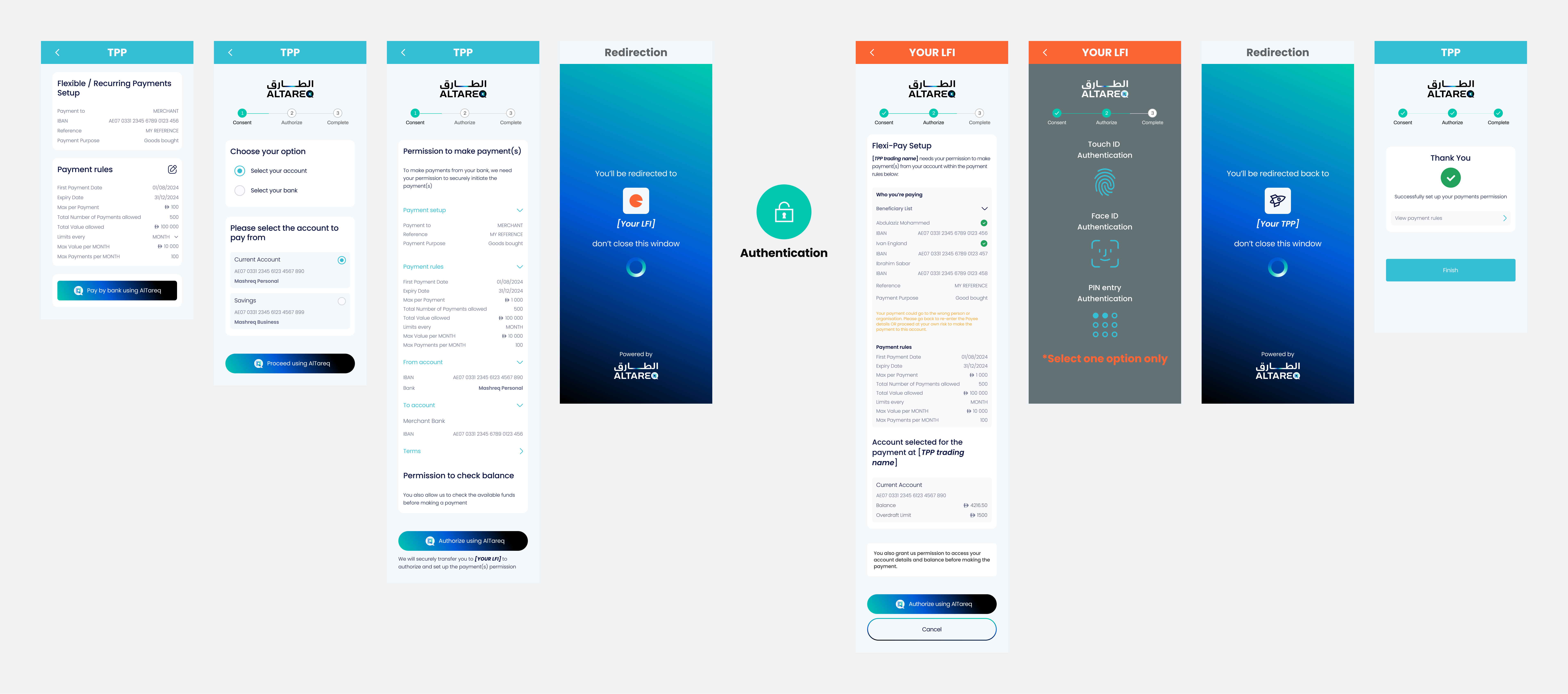
You must display the Confirmation of Payee result next to the Payees Name in the Authorization Page faithfully aligned with the demo and examples below.
Your CoP screen must be submitted as part of CX certification prior to production.
Edit the message.Data fields and see to change the signed JWS is embedded inside the domestic_payment_pii creditor block and watch the Consent and Authorisation page previews update live.
{
  "Initiation": {
    "Creditor": [
      {
        "Creditor": { "Name": "Ibrahim Al Sabah" },
        "CreditorAccount": {
          "SchemeName": "IBAN",
          "Identification": "AE070331234567890123456",
          "Name": { "en": "Ibrahim Al Sabah" }
        },
        "ConfirmationOfPayeeResponse": "…"
      }
    ]
  }
}